AI Voice Agents on Asterisk: Connecting a Phone Line to a Realtime Model
Three ways to put an AI voice agent on an Asterisk line in 2026: SIP straight to the model, AudioSocket, or ARI External Media, plus interruptions, tools and a production checklist.
Usama Munawar7 min read
The short answer
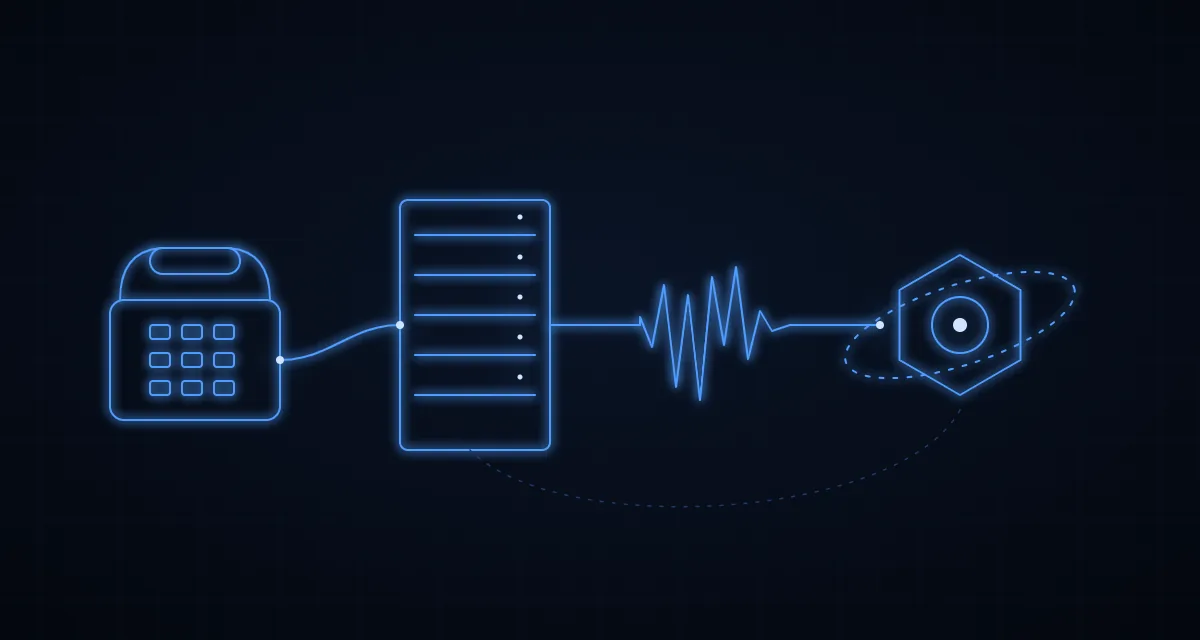
There are two sensible ways to put an AI voice agent on an Asterisk phone line in 2026:
- Send the call straight to the model over SIP. OpenAI's Realtime API accepts SIP calls directly, so Asterisk can route an extension to it like any other trunk. This is the fastest way to a working pilot.
- Keep the audio inside your own service. Asterisk streams the call's audio to a small bridge service (AudioSocket, ARI External Media or the WebSocket channel), and that service talks to the model. More work, but you own recording, transfers, tools and the choice of model.
I start pilots with option 1 and move to option 2 as soon as the agent has to do real work inside the call centre: look up a customer, book a slot, or hand the caller to a person without losing context.
Three ways to wire it
| Approach | How the audio flows | What you control | Good for |
|---|---|---|---|
| SIP to the model | Asterisk dials the provider's SIP endpoint; the provider runs the conversation | Instructions, tools, transfer and hangup through the provider's call API | Pilots, after-hours lines, simple FAQs |
| AudioSocket | Asterisk opens a TCP connection per call and streams raw audio both ways | Everything: audio, timing, model, recording | A single, predictable integration |
| ARI External Media | Your ARI app bridges the caller with a media channel (RTP, AudioSocket or WebSocket) | Everything, plus full call control from ARI | Queues, transfers, supervisors, multi-step flows |
Option 1: SIP straight to the model
You point a trunk at sip:<project-id>@sip.api.openai.com;transport=tls. When a call arrives, OpenAI sends your server a realtime.call.incoming webhook with a call_id, and your server accepts it with the instructions and tools for this caller (POST /v1/realtime/calls/{call_id}/accept). The same API can refer (transfer) the call or hang up, and a sideband WebSocket lets your server follow the conversation and answer tool calls.
Signalling runs over TLS and media over SRTP, so the Asterisk side needs a TLS-capable PJSIP transport. The upside is that OpenAI handles turn-taking and interruptions for you.
Option 2: AudioSocket
AudioSocket is the simplest way to get raw audio out of Asterisk. The protocol is tiny: every message is a 1-byte type, a 2-byte big-endian length and a payload. Type 0x01 carries the call's UUID, 0x10 carries audio (16-bit signed linear, 8 kHz, mono), 0x03 is a DTMF digit and 0x00 is hangup.
[ai-agent]
exten => 500,1,Answer()
 same => n,Set(CALL_ID=${SHELL(uuidgen | tr -d '\n')})
 same => n,AudioSocket(${CALL_ID},127.0.0.1:9092)
 same => n,Hangup()
AudioSocket() does not answer the call itself, so Answer() comes first. The UUID only needs to be unique per call; your service uses it to find out who is calling. If you want 16 kHz audio, use the channel form instead, Dial(AudioSocket/127.0.0.1:9092/${CALL_ID}/c(slin16)); the higher-rate audio types arrived in Asterisk 20.17, 22.7 and 23.1.
The bridge service on the other end reads frames and writes audio back in the same format:
import net from "node:net";

const HANGUP = 0x00, UUID = 0x01, AUDIO = 0x10;

net.createServer((socket) => {
  let buffer = Buffer.alloc(0);
  // Your wrapper around the model's realtime session; it calls play() with audio to send back.
  const agent = startAgentSession({ play: (pcm: Buffer) => socket.write(frame(AUDIO, pcm)) });

  socket.on("data", (chunk) => {
    buffer = Buffer.concat([buffer, chunk]);
    while (buffer.length >= 3) {
      const type = buffer[0];
      const length = buffer.readUInt16BE(1);
      if (buffer.length < 3 + length) break;
      const payload = buffer.subarray(3, 3 + length);
      buffer = buffer.subarray(3 + length);

      if (type === UUID) agent.start(payload.toString("hex"));
      else if (type === AUDIO) agent.sendAudio(payload); // 16-bit, 8 kHz, mono
      else if (type === HANGUP) socket.end();
    }
  });
  socket.on("close", () => agent.close());
}).listen(9092);

function frame(type: number, payload: Buffer) {
  const header = Buffer.alloc(3);
  header[0] = type;
  header.writeUInt16BE(payload.length, 1);
  return Buffer.concat([header, payload]);
}
One detail catches almost everyone: with AudioSocket and RTP, your service owns the timing. Models return audio in bursts, but Asterisk expects a steady stream. Queue the model's audio and send it in 20 ms pieces (at 8 kHz, 20 ms of 16-bit mono audio is 320 bytes) on a timer. Dumping a whole sentence into the socket at once is the usual cause of choppy or sped-up speech.
Option 3: ARI External Media
With ARI, your Stasis application answers the call, creates a mixing bridge (POST /bridges?type=mixing), creates an External Media channel (POST /channels/externalMedia) and adds both channels to the bridge. The transport decides the media channel: RTP over UDP, AudioSocket over TCP, or the newer WebSocket channel (Asterisk 20.16, 21.11, 22.6 and 23.0 onwards).
The WebSocket channel is the most comfortable of the three: Asterisk re-times the audio you send, and it has commands such as FLUSH_MEDIA to drop queued audio when the caller interrupts. ARI is also where call-centre features live: moving the caller into a queue, adding a supervisor, recording the bridge, or continuing in the dialplan when the AI is done.
Audio formats: avoid needless conversion
Phone audio is 8 kHz G.711. OpenAI's Realtime API accepts audio/pcmu and audio/pcma (G.711 μ-law and A-law) as well as 24 kHz PCM, so the cheapest path is to stay in G.711 end to end instead of resampling 8 kHz audio up to 24 kHz and back. Gemini's Live API takes 16 kHz PCM input and returns 24 kHz, so with Gemini you resample in your bridge. Every conversion adds a little latency and a little distortion, and on a phone line both are audible.
Interruptions decide whether it feels human
Callers talk over the agent, and an agent that keeps talking feels broken. With a WebSocket session on OpenAI, the server detects the caller's speech (input_audio_buffer.speech_started) and cancels its response. Your bridge must then stop playback immediately (clear the outgoing queue, or send FLUSH_MEDIA on the WebSocket channel) and send conversation.item.truncate with audio_end_ms set to how much audio the caller actually heard, so the model's memory of the conversation matches reality. With the SIP route, OpenAI handles truncation itself. On Gemini, watch for serverContent.interrupted and clear your queue the same way.
Turn detection is configurable: server_vad waits for a stretch of silence, and semantic_vad tries to judge whether the caller has finished their thought. For phone lines with background noise, test both with real recordings before choosing.
Tools are where the value is
An agent that only talks is an expensive IVR. The value comes from tools: the model asks for find_customer, check_order or book_appointment, your service runs it against your systems and returns the result, and the model answers the caller with real data. In the Realtime API that is a function_call item from the model, answered with a function_call_output item and a new response.create.
My rules for tools on a phone line:
- Keep them fast. Anything slower than about a second needs a spoken filler ("Let me check that for you") or the silence feels like a dropped call.
- Validate everything. The model fills in the arguments; your code decides whether the caller is allowed to see or change that record.
- Always include a human handover. A
transfer_to_agenttool that moves the call into the right queue, with a summary attached for the agent's screen, saves more calls than any prompt tweak.
A production checklist
- Consent. Tell callers they are talking to an AI and whether the call is recorded, and follow the rules where your callers are.
- Fallback. If the model errors, times out or the bridge dies, the call must land somewhere useful: a queue, voicemail or a callback request. Never dead air.
- Limits. Cap call length and idle time. Realtime audio is billed by usage, so a stuck call keeps costing money.
- Logging. Store the transcript, every tool call and the outcome against the call's ID, so you can review what the agent did and improve it.
- Versions. Asterisk 20 and 22 are the long-term support lines today, 21 reaches end of life on 18 October 2026, and 24 LTS is at release-candidate stage. For a new build, 22 LTS is the safe choice.
Which approach I would pick
- Proving the idea, one simple call flow? SIP straight to the model.
- Need to record, transfer with context, or use your own tools heavily? ARI with the WebSocket channel.
- Older Asterisk you cannot upgrade yet? AudioSocket from the dialplan, which works on every supported version.
- Want to switch between OpenAI and Gemini later? Own the bridge (option 2 or 3), so the phone side never changes.
I build call platforms on Asterisk and wire AI into them; see VoIP and Asterisk engineering and AI integration. If you want a second opinion on your setup, email devusamaworks@gmail.com or WhatsApp +92 303 8004684 for a free 30-minute call.
A question about this article?Ask me on WhatsApp